
HOW TO FOLLOW FLOW CHART IN TROUBLE DIAGNOSES
GI-11prose procedureHOW TO FOLLOW THIS FLOW CHART
1 Work and diagnostic procedure
Start to diagnose a problem using procedures indicated in enclosed blocks, as shown in the following example.
Example flow chart block
1
A
2
CHECK POWER SUPPLY.
1) Turn ignition switch "ON".
2) Check voltage between terminal (b) and ground.
Battery voltage should exist.
O.K.
O.K.
Check item being performed. | Procedure, steps or measurement results
2 Measurement results
Required results are indicated in bold type in the corresponding block, as shown below:
These have the following meanings:
| Specification | Value |
|---|---|
| Battery voltageBattery voltage bold result meaning | 11 - 14V or approximately 12VV |
| Voltage: Approximately 0VApproximately 0V bold result meaning | Less than 1VV |
Battery voltageBattery voltage bold result meaning
11 - 14V or approximately 12VV
Voltage: Approximately 0VApproximately 0V bold result meaning
Less than 1VV
3 Cross reference of work symbols in the text and illustrations
Illustrations are provided as visual aids for work procedures. For example, symbol A indicated in the left upper portion of each illustration corresponds with the symbol in the flowchart for easy identification. More precisely, the procedure under the "CHECK POWER SUPPLY." outlined previously is indicated by an illustration A.
4 Symbols used in illustrations
Symbols included in illustrations refer to measurements or procedures. Before diagnosing a problem, familiarize yourself with each symbol.
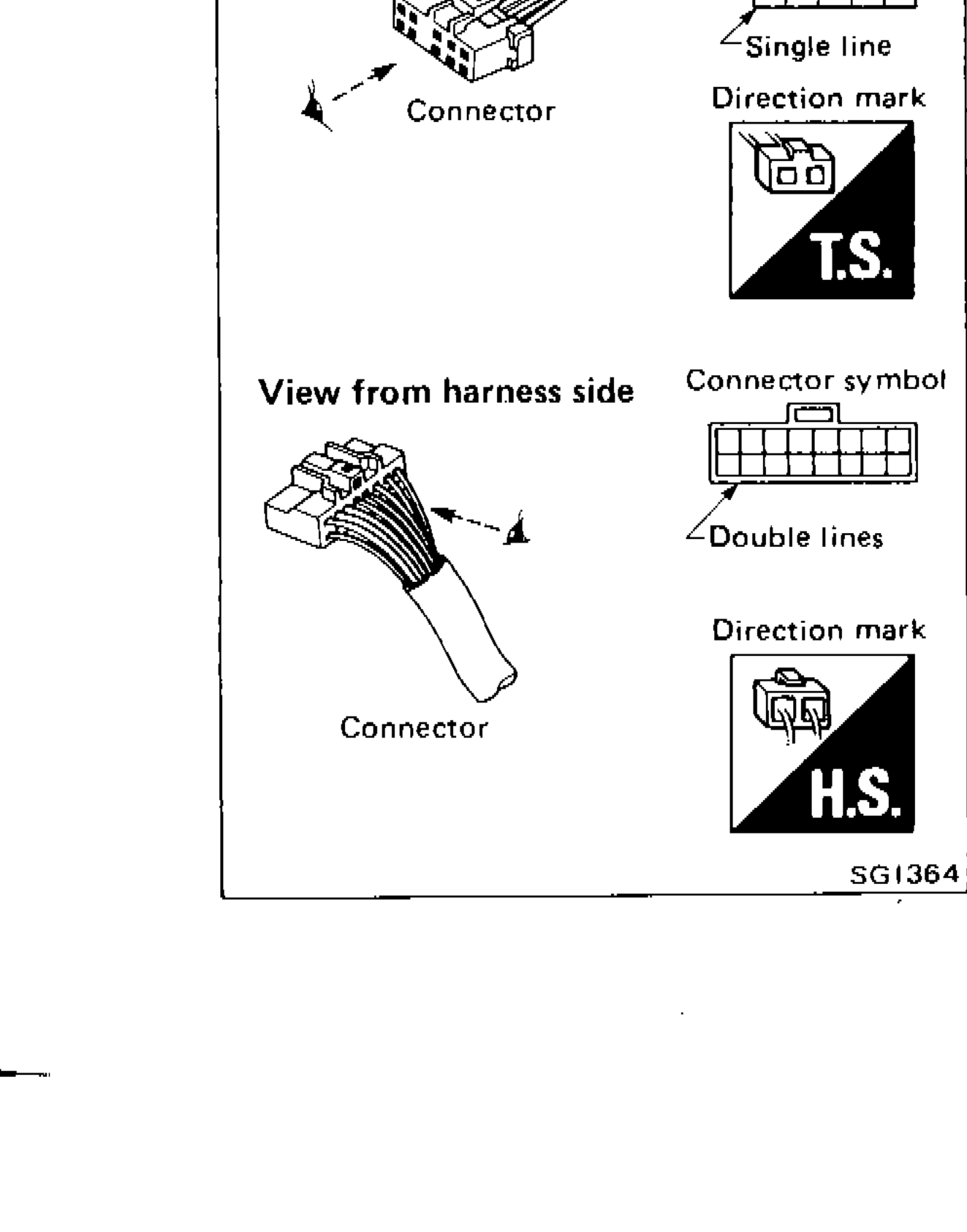
Direction mark
A direction mark is shown to clarify the side of connector (terminal side or harness side).
Direction marks are mainly used in the illustrations indicating terminal inspection.
T.S. : View from terminal side ... T.S.
IMPORTANT
All connector symbols shown from the terminal side are enclosed by a single line.
H.S. : View from harness side ... H.S.
IMPORTANT
All connector symbols shown from the harness side are enclosed by a double line.
Component LocationFig. fig1
Example connector views showing terminal side and harness side identification
SG1364
1View from terminal side(top-left of example box)
2Connector symbol(top-right of example box, terminal side)
3Single line(right side, terminal side connector symbol)
4Connector(left, terminal side photo)
5Direction mark T.S.(right side, terminal side)
6View from harness side(lower-left of example box)
7Connector symbol(lower-right of example box, harness side)
8Double lines(right side, harness side connector symbol)
9Connector(left, harness side photo)
10Direction mark H.S.(right side, harness side)